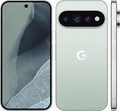
For years, one of the most intuitive advantages of a foldable smartphone has been the ability to use its expansive inner screen for more than just viewing content. In photography, this means using half the screen as a live viewfinder while the other half displays recently captured shots—a feature that has become standard on competitors' devices. Surprisingly, Google's Pixel 9 Pro Fold launched without this functionality, leaving it playing catch-up in a segment it helped legitimize. Now, in a move that rectifies a significant oversight, Google is rolling out a crucial camera update that brings this split-screen capability to last year's flagship foldable, finally aligning it with industry norms.
The Long-Awaited Split-Screen Camera Arrives
The core of the update is a redesigned layout within the Pixel Camera app when the Pixel 9 Pro Fold is unfolded. Upon opening the app, users now have the option to activate a split-view mode. This divides the 8-inch inner display into two distinct panels. The right side functions as the familiar camera viewfinder, showing the live feed from the lens in a standard 4:3 or 16:9 aspect ratio, rather than the stretched, full-screen view that was previously the only option. The left side is dedicated to a gallery preview, displaying thumbnails of photos taken during the current session. This allows photographers to immediately review their shots without exiting the camera interface, enabling quicker adjustments to composition, lighting, or settings for the next capture.
Update Details for Pixel 9 Pro Fold
- Feature: Split-screen camera viewfinder with live preview gallery.
- Activation: New button left of the shutter button in the Camera app.
- Layout: Right side = standard viewfinder; Left side = scrollable preview of recent shots.
- Additional Integration: Shortcut to Google Photos app within the preview pane.
- Rollout: Began via Camera app update in mid-December 2025.
A Feature That Should Have Been Standard
The absence of this feature at the Pixel 9 Pro Fold's launch was a notable point of criticism. As highlighted in user reports and tech reviews, virtually every major competitor in the foldable space—including Samsung's Galaxy Z Fold series, the OnePlus Open, and devices from Vivo and Oppo—has offered some form of split-screen camera utility for multiple generations. This feature leverages the unique form factor of a foldable to enhance the photography workflow, turning the device into a makeshift digital viewfinder and instant review station. Google's decision to withhold it initially created a perception that the software experience on its foldable was not fully optimized, despite the hardware's capabilities. The feature's debut was reserved for the newer Pixel 10 Pro Fold at its launch in August 2025, creating a generational gap that has now been closed.
Feature Comparison: Split-Screen Camera on Foldables
| Device/Manufacturer | Feature Availability Timeline | Notes |
|---|---|---|
| Samsung Galaxy Z Fold Series | Available for multiple generations (since at least 2021) | Considered a standard, flagship foldable feature. |
| OnePlus Open | Available since launch (2023) | Highlighted as a key software optimization. |
| Vivo X Fold Series | Available for multiple generations | Common feature in Chinese foldable market. |
| Oppo Find N Series | Available for multiple generations | Known for software tailored to its unique aspect ratio. |
| Google Pixel 10 Pro Fold | Available since launch (August 2025) | Debuted the feature for Google's foldables. |
| Google Pixel 9 Pro Fold | Rolling out December 2025 | Received via a post-launch Camera app update. |
| Original Google Pixel Fold | Status Unknown | Unlikely due to different hardware design. |
How to Access and Use the New Layout
Activating the new split-screen mode is straightforward. While in the Camera app on the unfolded inner display, a new button appears to the left of the central shutter button. Tapping this button, which displays multiple small tiles or a preview icon, switches the interface to the dual-pane layout. Users can scroll through the preview pane on the left to review multiple recent images. Furthermore, a shortcut at the bottom of this preview pane provides one-tap access to the full Google Photos library, seamlessly integrating the shooting and organizing processes. This implementation mirrors the one found on the Pixel 10 Pro Fold, suggesting a unified software approach for Google's foldables moving forward.
The Broader Context of Google's Foldable Journey
This update is more than just a feature addition; it's a sign of Google's evolving strategy for its foldable lineup. The company entered the market later than rivals, with the original Pixel Fold featuring a distinct, wider "passport" design. The Pixel 9 Pro Fold shifted to a more mainstream tall-and-narrow form factor when folded. Software optimizations, however, have sometimes lagged. Bringing this camera feature to the previous-generation device indicates a commitment to improving the software experience across its ecosystem and supporting devices beyond their initial launch cycle. It addresses a tangible user pain point and enhances the practical utility of the expensive device, potentially improving customer satisfaction and the perceived value of Google's foldable offerings.
Looking Ahead for Pixel Foldables
With the Pixel 9 Pro Fold now receiving this key update, attention turns to the original Pixel Fold. Given its different display aspect ratio and older hardware platform, it is uncertain if this feature will be backported. The focus for Google now will likely be on ensuring the Pixel 10 Pro Fold and future models launch with a fully mature set of foldable-optimized features from day one. As the market grows more competitive, with rivals pushing thinner designs and more advanced hardware, software excellence and thoughtful feature integration become critical differentiators. This update, while belated, is a positive step in that direction for owners of the Pixel 9 Pro Fold, finally delivering a camera experience that matches the innovative potential of its folding form.